Home
Archived design · Return to current BugTape →
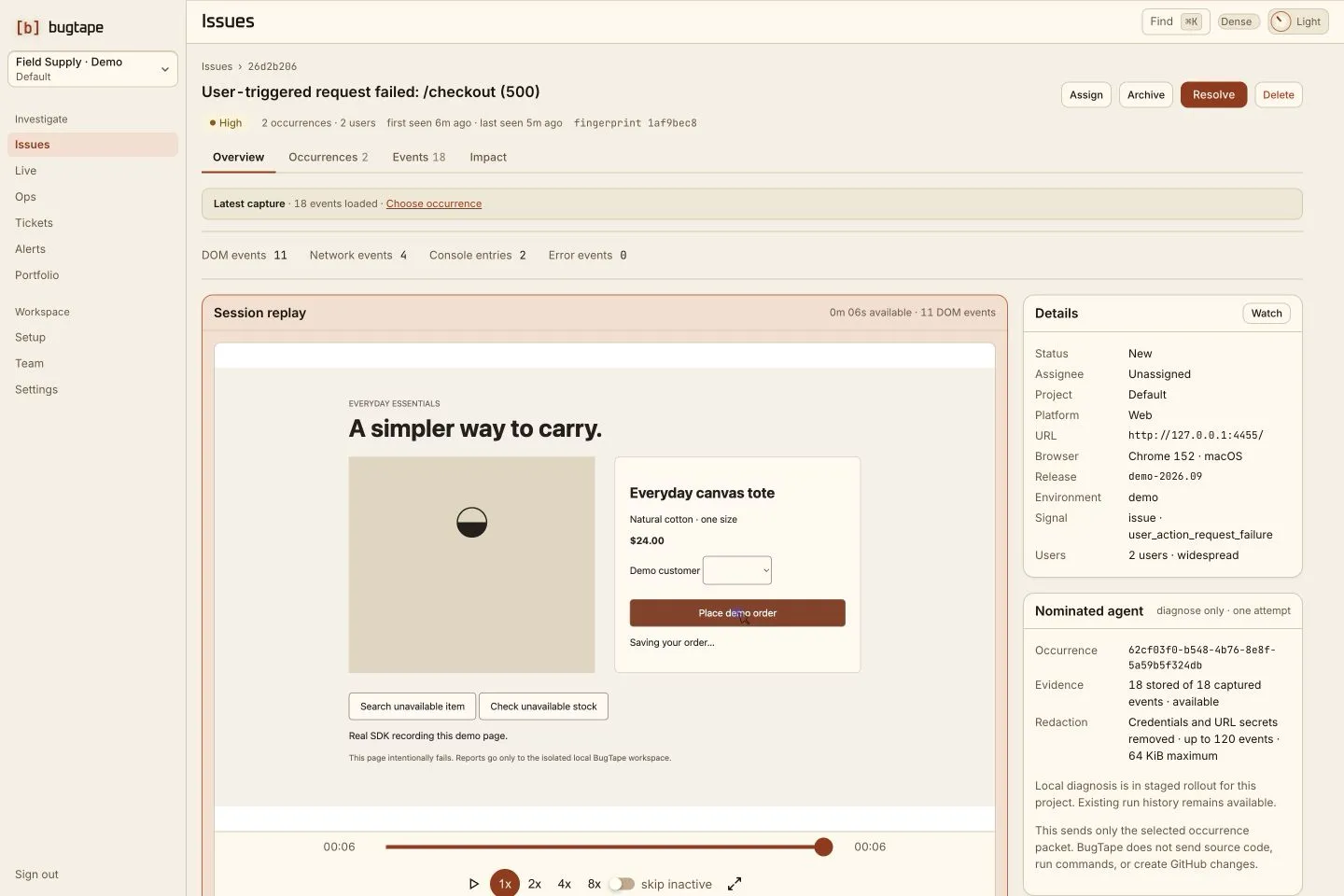
A BugTape issue: the failed checkout request, two affected users, and the recorded replay, network, console and error events

Claude Code · Cursor · Codex

Bug reports that show your agent what happened.

Captures what broke.
Your agent fixes it over MCP.
Checks the fix in your next release.
Alerts you if it comes back.

For developers who ship with Claude Code, Cursor or Codex. BugTape captures what broke. Your agent fixes it over MCP. BugTape checks the fix in your next release and alerts you if the bug comes back.

Start freeNo credit cardTry the live demoNo sign-upWatch the film1 minute

In every issue

  • A replay of the page
  • The failed request
  • Console and stack
  • One issue per failure
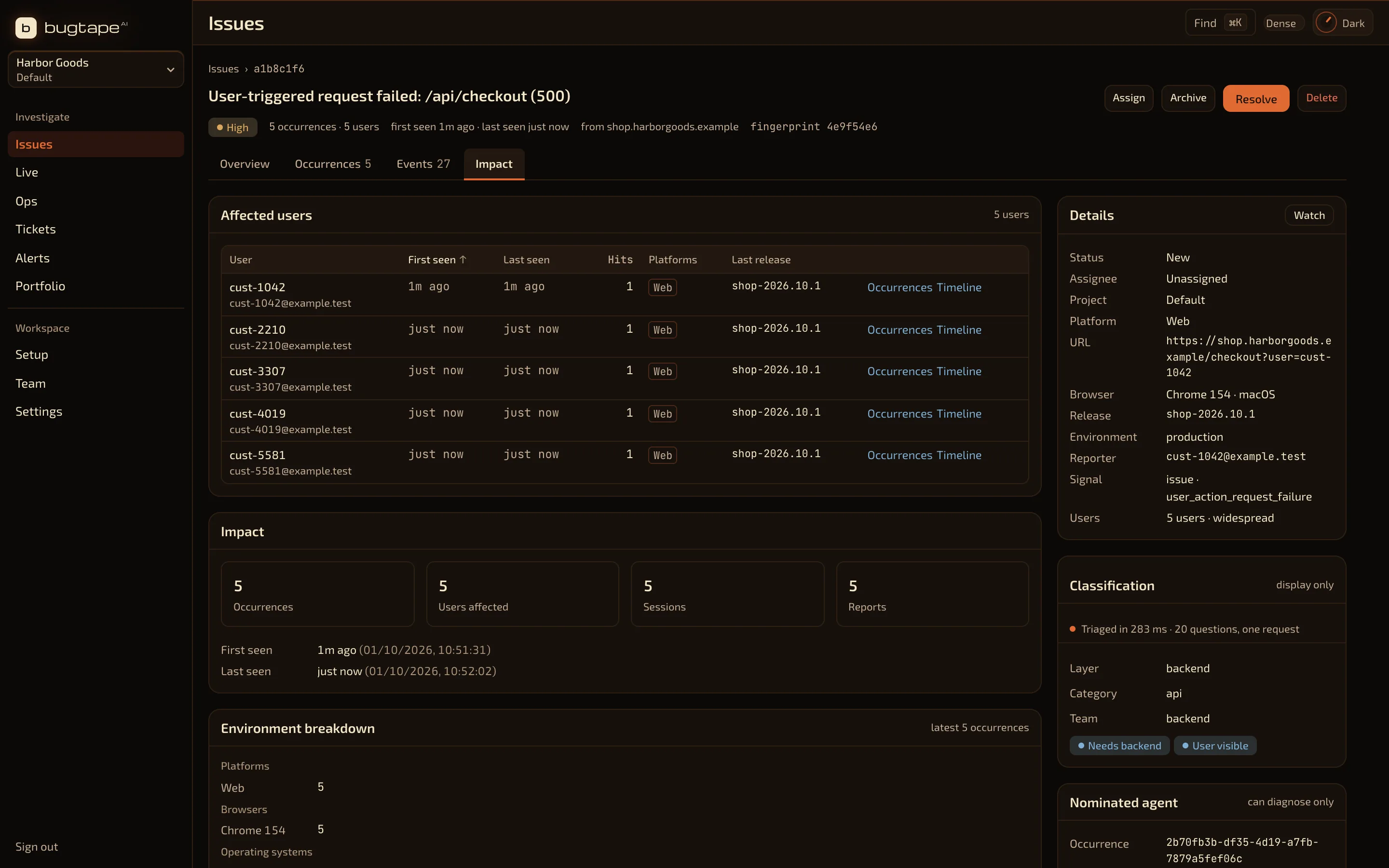
  • Who it reached
  • Releases and environments
  • Send to agent
  • A pull request to review
  • Fix checked in your next release
  • An alert if it comes back
  • Strict privacy mode
  • Slack and email updates
  • Web, servers and iOS

How a bug gets fixed with BugTape

  1. It records what happened

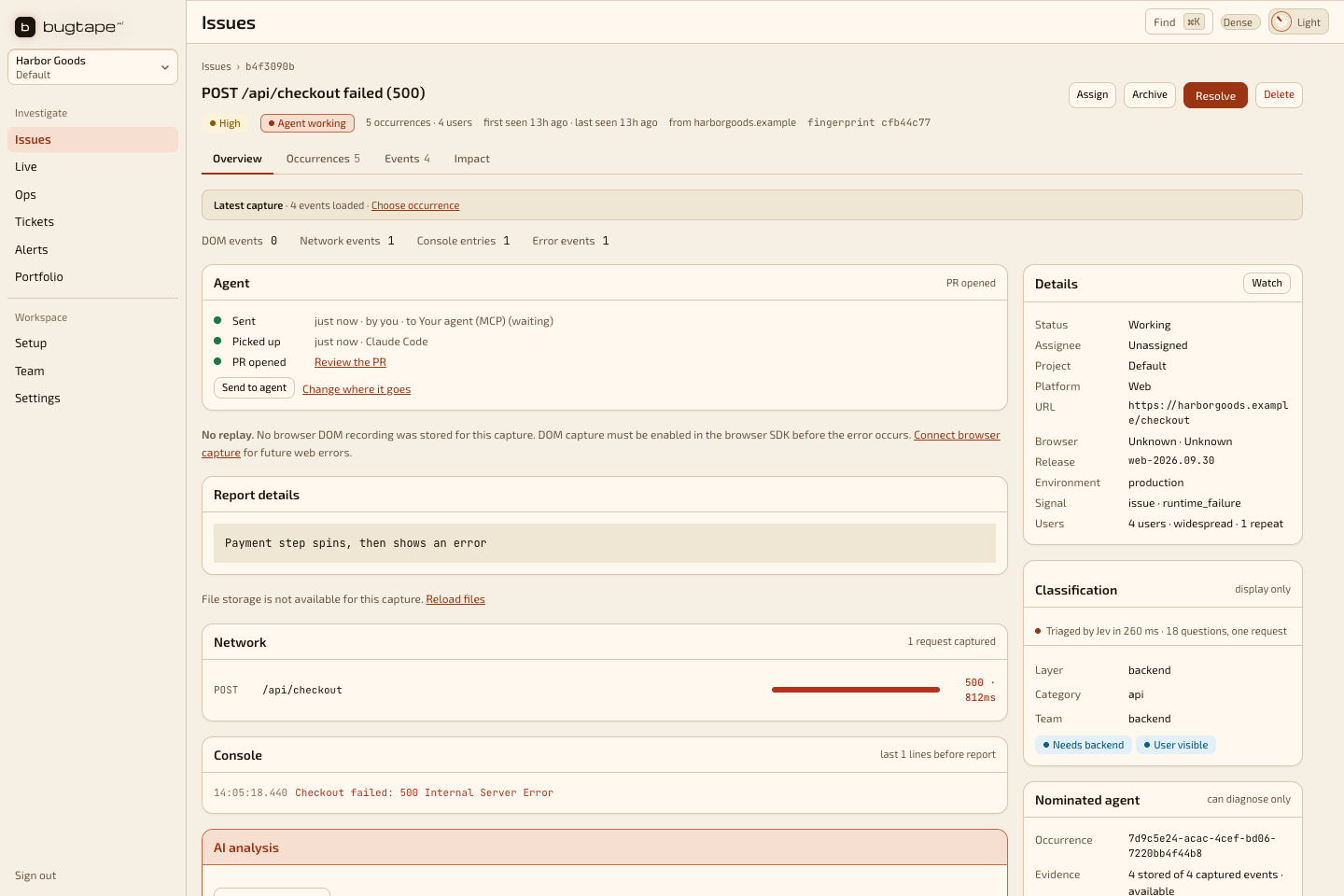
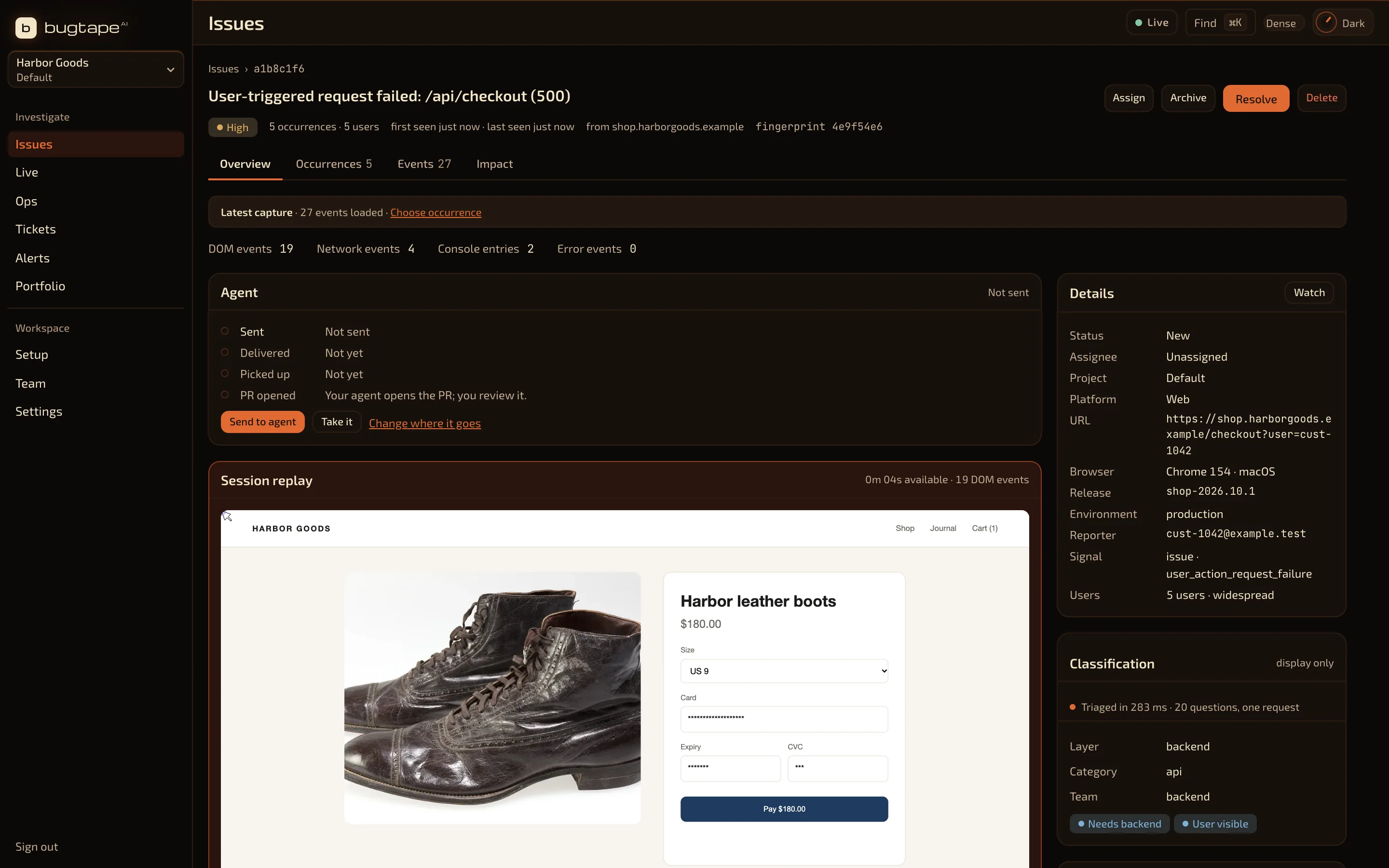
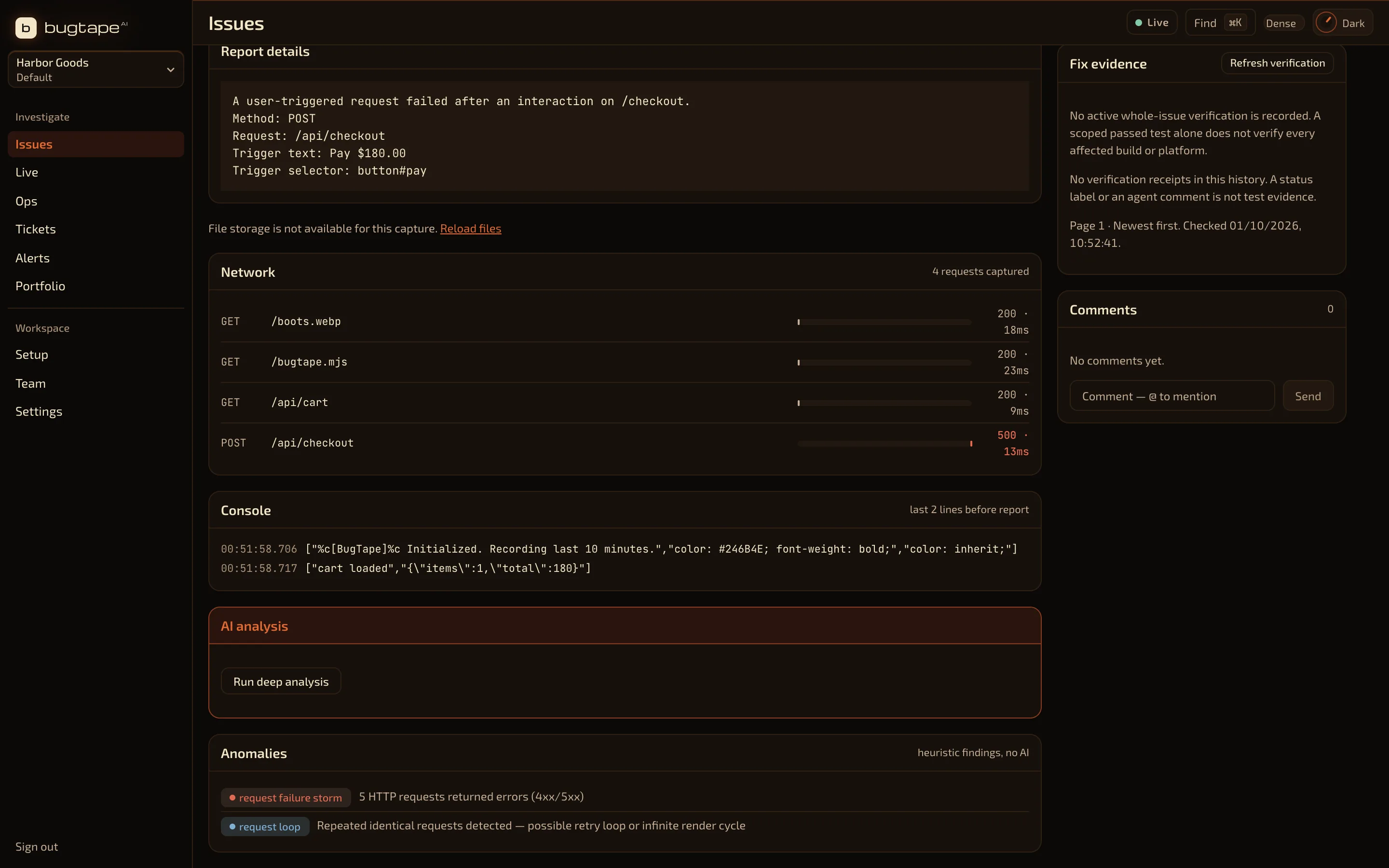
    When an error fires, or a user presses the bug button, BugTape sends what led up to it: a replay of the page, the failed request, the console and the stack.

    BugTape issue detail with the session replay, the failed request and the event counts
    Synthetic product data · one browser reportOpen full size in a new tab
  2. It groups the repeats

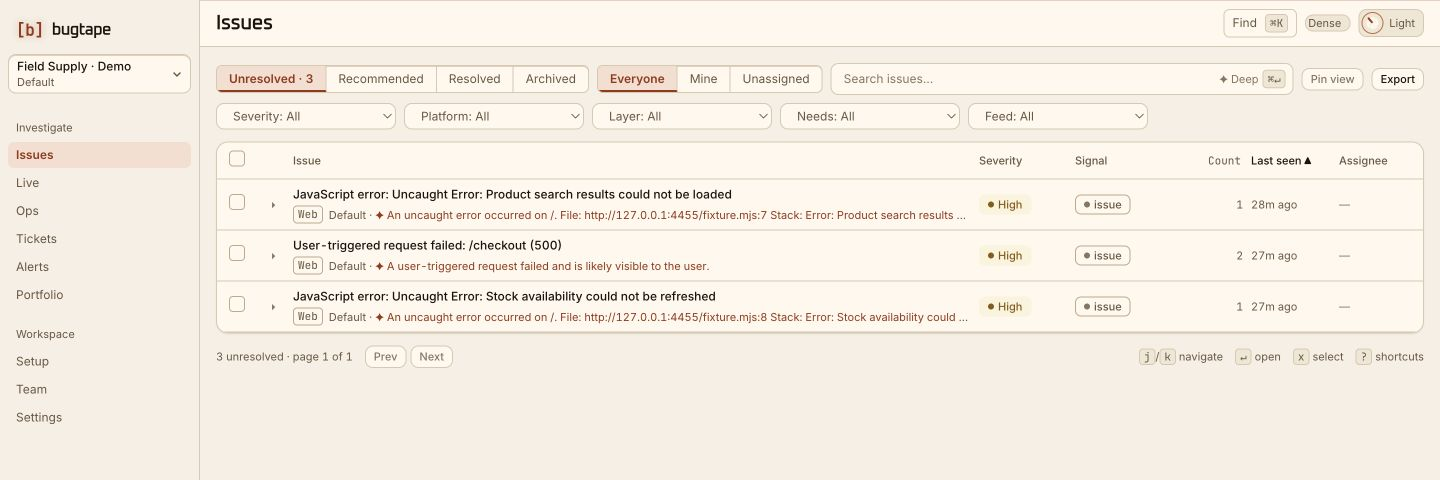
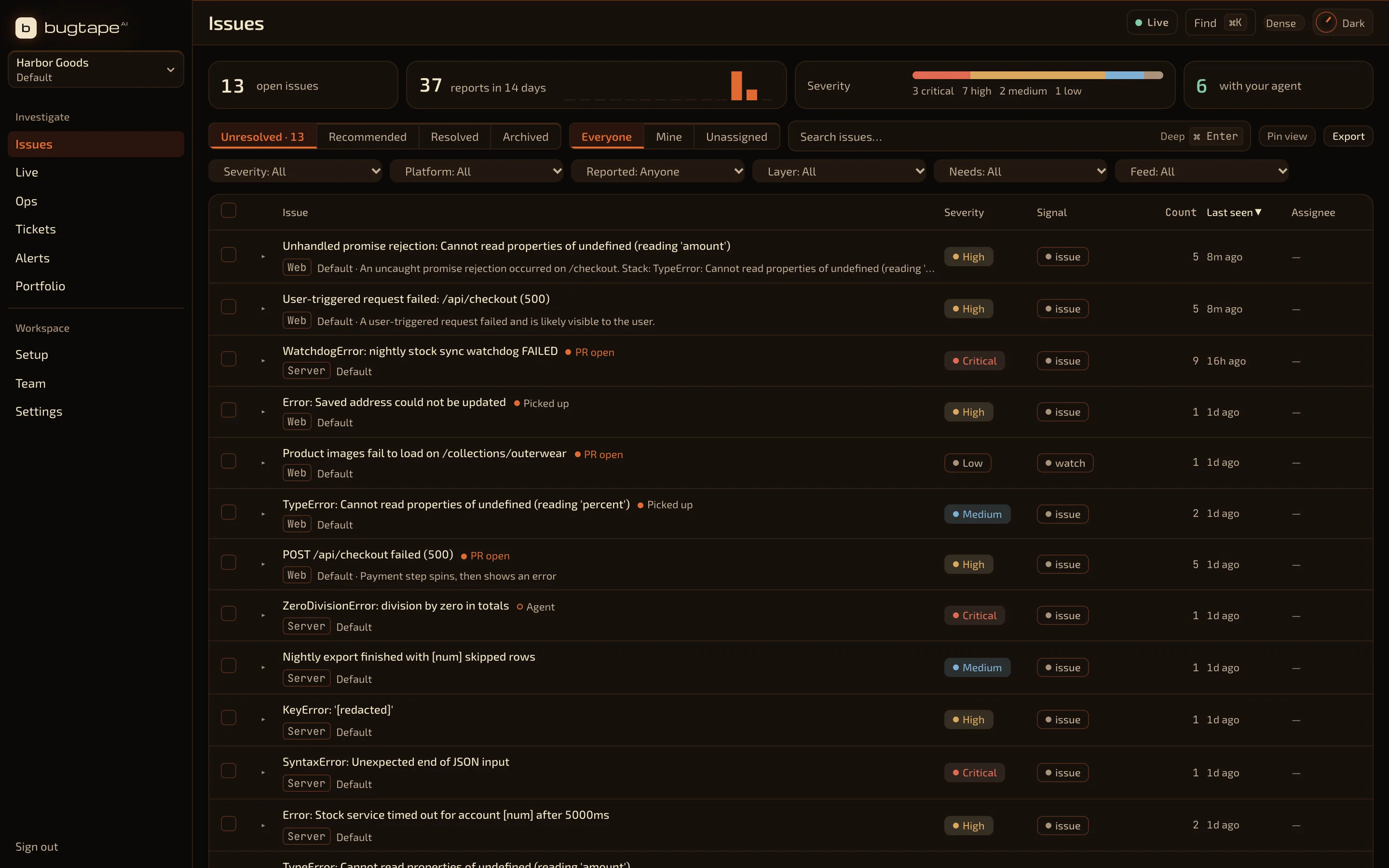
    Every report of the same failure lands on one issue, with a count, the releases it hit and, if your app sends user IDs, the users who hit it.

    BugTape inbox with one row per failure and a report count on each
    Synthetic product data · one issue per failureOpen full size in a new tab
  3. Your agent fixes it

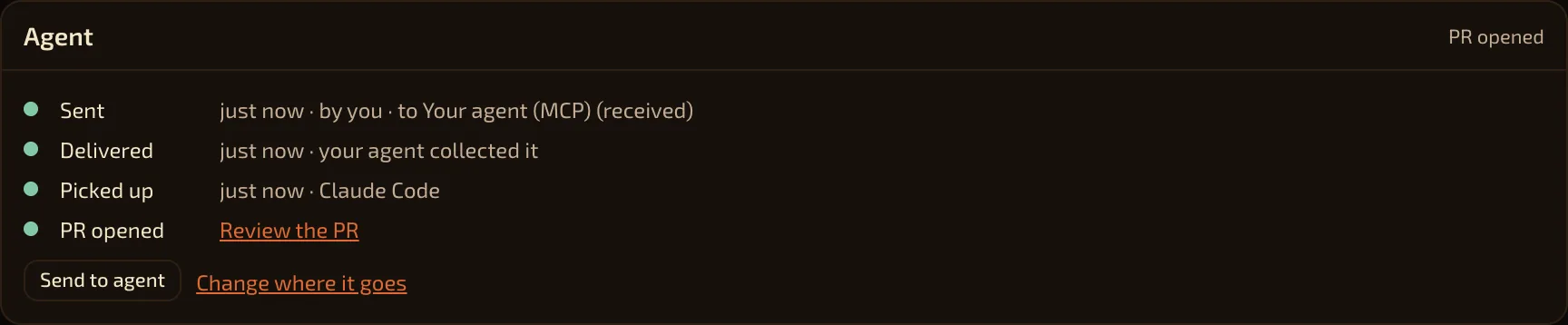
    Send the issue to your coding agent, or let auto-notify send serious ones. The agent reads the evidence over MCP, works on a fix and opens a pull request. You review it and decide what ships. BugTape then checks the fix in the release you ship and alerts you if the bug comes back.

    BugTape issue whose Agent card shows it was sent to the agent, picked up by an agent token, and has a pull request to review
    Synthetic product data · sent, picked up, PR openedOpen full size in a new tab
Start freeNo credit card. One script tag, then your first issue.

Web, servers and iOS in one inbox

Each SDK sends what its platform can see. They share one project key and one issue list, so a checkout bug and the server error behind it sit side by side.

Web

Browser SDK · script tag or npm

<script type="module">
  import { init } from 'https://app.bugtape.ai/bugtape.mjs';
  init({ apiKey: 'bt_live_…' });
</script>
  • A replay of the page, rebuilt from DOM events (not screen video)
  • Failed requests with method, status and timing
  • Console output and the stack trace
  • A bug button for your users, or none if you prefer
  • Standard or strict masking of page text

Servers

Node.js and Python

// Node.js
import * as bugtape from '@bugtape/node';
bugtape.init({ service: 'api' });

# Python
import bugtape
bugtape.init(service="reports")
  • Uncaught errors, 5xx responses and error logs
  • Route pattern, service, release and the stack
  • Express, Next.js, Streamlit and Datadog trace links
  • No replay or console: a server has no page
  • Messages redacted by default; bodies, headers and variables never read

iOS and macOS

Swift package

  • Handled errors and messages
  • Breadcrumbs and user reports
  • Fatal crash capture is not available yet
Compare every platform

4

SDKs: browser, Node.js, Python and Swift

~0.25s

to triage a new issue: severity, layer and duplicates

$0

to start, with no card

0

credits for a repeat report of an issue you already have. A new issue costs 1.

Claude Code · Cursor · Codex

Your coding agent reads the bug over MCP.

Connect your agent once. Press Send to agent on any issue, or turn on auto-notify for serious bugs and regressions. The agent reads what the user did, the failed request and the stack, then works on a fix.

No logs pasted into chat
The agent pulls the evidence itself.
It can start without you
With auto-notify on, high-severity bugs and regressions go to the agent as they arrive.
You decide what ships
The agent opens a pull request for review. Progress updates go to Slack.
$ claude mcp add --transport http bugtape https://app.bugtape.ai/mcp
› list_recommended_critical
  1 issue sent to you · checkout · 38 reports
› get_repro_context({ bugId, occurrenceId })
  replay · POST /api/orders 500 · TypeError in cart.ts
› ack_bug({ bugId, action: "working" })
  your team sees “Picked up” in BugTape and Slack
› ack_bug({ bugId, action: "working", prUrl })
  pull request linked for review
MCP works on every plan. On Free and pay as you go, each agent read of a bug costs 2 credits.

The film

How BugTape works, in one minute

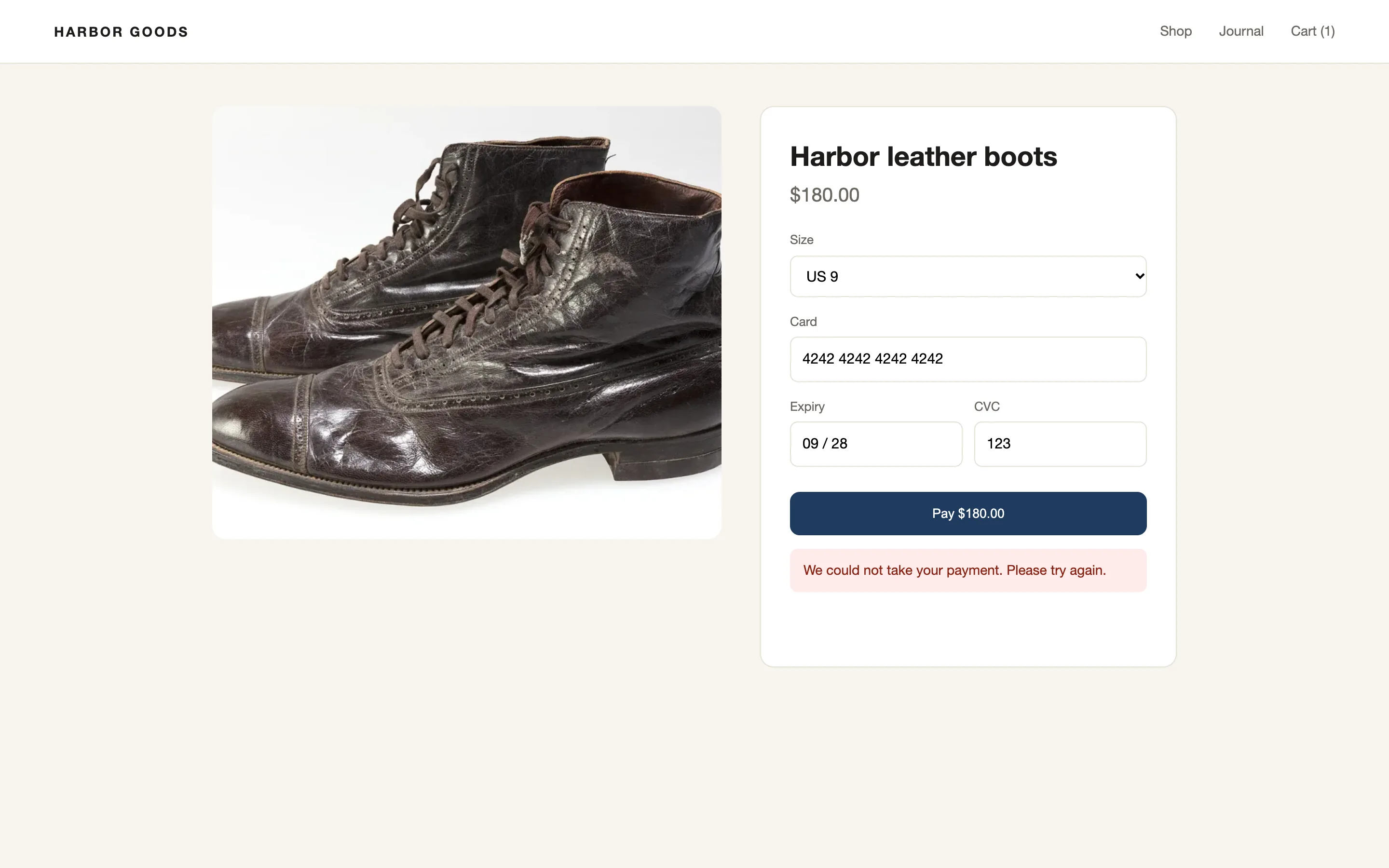
A customer’s checkout fails. See what BugTape records, how it groups the reports and how your coding agent picks it up.

3 2 1

A short film

BugTape

Synthetic product data

Customer report

Checkout is broken.

Steps
none
Page
unknown
Error
unknown
On your machine✓ It works

Customer report

Checkout is broken.

Steps
none
Page
unknown
Error
unknown

Customer report

Pay does nothing.

Customer report

My order failed.

Customer report

I can’t check out.

Customer report

Error on the payment step.

Recording in the browser

The moments before the error

  1. GET/api/cart 200
  2. clickSize
  3. clickCard
  4. clickPay
  5. POST/api/checkout 500
  6. consolecheckout failed
  7. TypeError'amount'

Report sentwith the replay, requests and console

One issue · every report of the same bug

Who hit it · when your app sends user IDs

Replay of the page · what the customer did

The failed request · POST /api/checkout · 500

Your coding agentBugTape MCP

› list_recommended_critical

1 issue · /api/checkout (500) · 5 reports

› get_repro_context({ bugId })

report · replay · 4 requests · console

› ack_bug({ bugId, action: "working" })

status: working · your team can see it

› ack_bug({ bugId, action: "working", prUrl })

pull request linked for review

Live · each step as it happens

After the fix

Checked in your next release

An alert if the bug comes back

BugTape

Web apps · Servers · iOS apps

Start freeTry the live demo

bugtape.ai

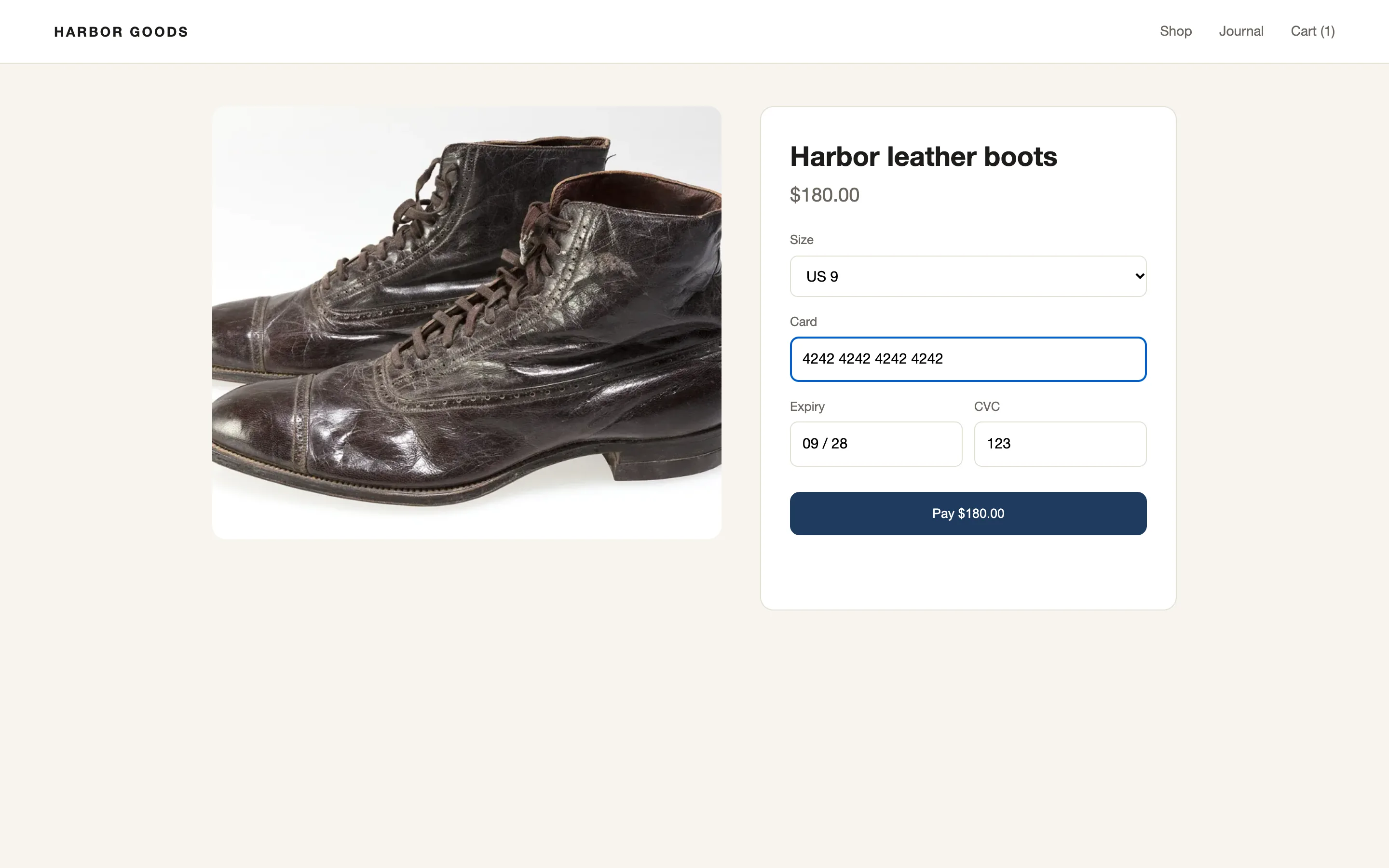
Synthetic product data · Boots photo: Missouri History Museum

0:00 / 1:05 MP4

Is it safe?

You decide what leaves your users’ browsers.

Masking runs in the browser, before a report is sent. The SDK sends a report only when an error happens or a user reports one, and then only the short buffer that led up to it.

  • Stored in Australia. The app and its database run in Sydney.
  • Keys that can only send. A capture key cannot read anything back, and it is stored as a digest.
  • Agents see only what you grant. Agent tokens are limited to the projects and scopes you choose.
  • Deleted on schedule. Recorded events go after 7 days on Free and 30 days on Pro.
  • Sealed client details. Mark a field and it leaves the browser sealed with your key. BugTape stores it but cannot read it.
  • Servers stay quiet. The server SDKs never read request bodies, headers, cookies or variable values.
Privacy setting

What BugTape receives

Customer name page text
Anna Smith▇▇▇▇ ▇▇▇▇▇⟦bt:1⟧ opens with your key
Card number typed input
****************
Account notes data-bugtape-ignore
Left out of the replay

No replay is recorded.

Error TypeError: total is undefined · cart.js:88

Standard: page text is recorded; inputs are masked.Strict: page text becomes blocks in the browser. Clicks and layout stay.Sealed: text you mark leaves as a placeholder. BugTape stores the sealed value and cannot read it; your team opens it with your key.Errors only: the error and failed requests, no replay.

Start free.

Free needs no card. Pay as you go is $10 for 2,000 credits. Pro is $29 a month.

Free

$0

100 new issues a month · 1 project · 3 members · 7-day retention · MCP from 150 monthly credits

Start free
Pay as you go

$10 2,000 credits

1 credit = 1 new issue · everything in Pro while you have credits · credits never expire · hard monthly budget

How credits work
Pro

$29 USD / month

5,000 new issues a month · unlimited projects · 10 members · 30 days · MCP agent access

Start free, then upgrade
  • Free needs no credit card
  • Credits never expire
  • A hard monthly budget you set
Compare plans

Start free and see your first issue in minutes

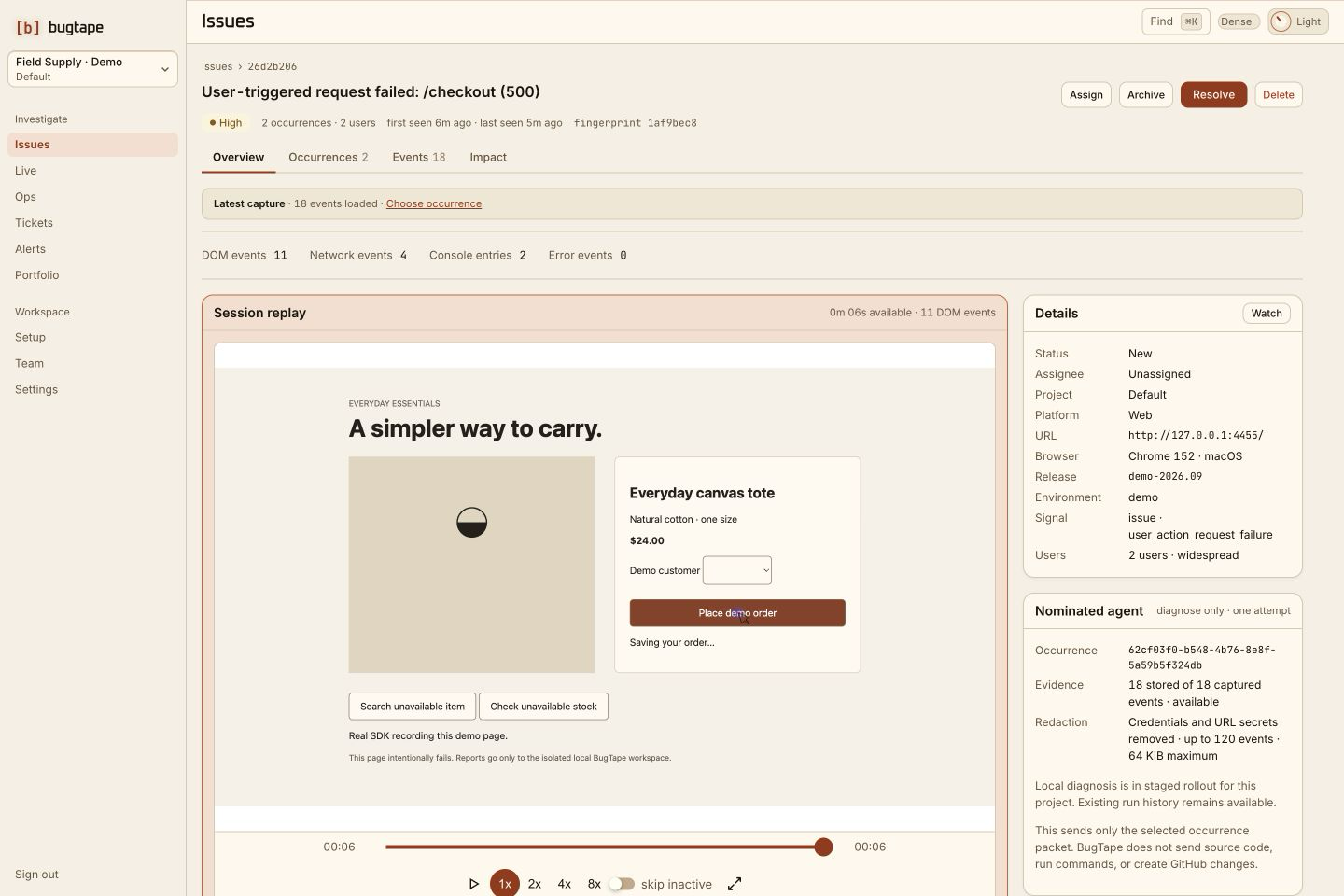
Create a workspace, add one script tag, and the next error arrives with its replay, failed request and stack. The Free plan needs no credit card. To look first, break the demo checkout: it runs in your browser tab, without sending the report to BugTape.
  • Free plan
  • No credit card
  • Set up in minutes